Look it up once.
Clinical Evidence Review shows only the evidence that changed since your team last saw a biomarker.
Clinical Genomics Workspace
Clinical Genomics Workspace (CGW) is clinical NGS interpretation and reporting software from PierianDx. It turns sequencing data into clinician-ready reports, so your team spends its time on judgment, not assembly. Your laboratory director stays in command of every sign-out.
Time back for your team
Clinical Evidence Review shows only the evidence that changed since your team last saw a biomarker.
Pipeline output, evidence and your report template are automatically assembled into a draft.
Signed reports reach your LIS or EHR through HL7 or an API, so nobody retypes the result.
Every classification is shown with the scientific and clinical evidence behind it.
The workflow, step by step
Follow a case through CGW. Select a step to see the screen your team works in.
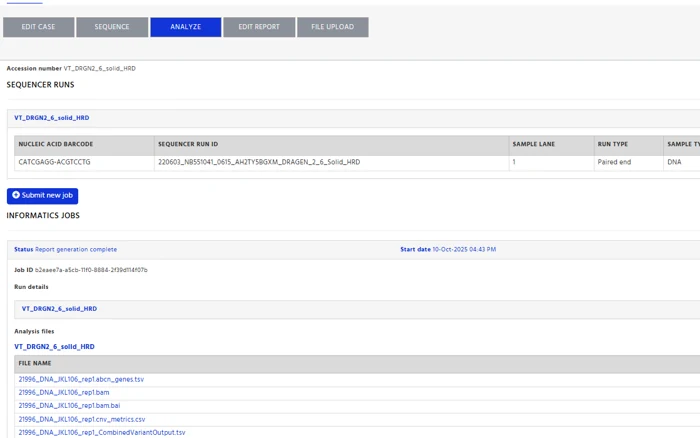
Step 01 · FASTQ · VCF
CGW takes FASTQ files or a VCF, depending on the assay. For supported assays, alignment and variant calling run inside CGW. For others, CGW takes the vendor's output files.
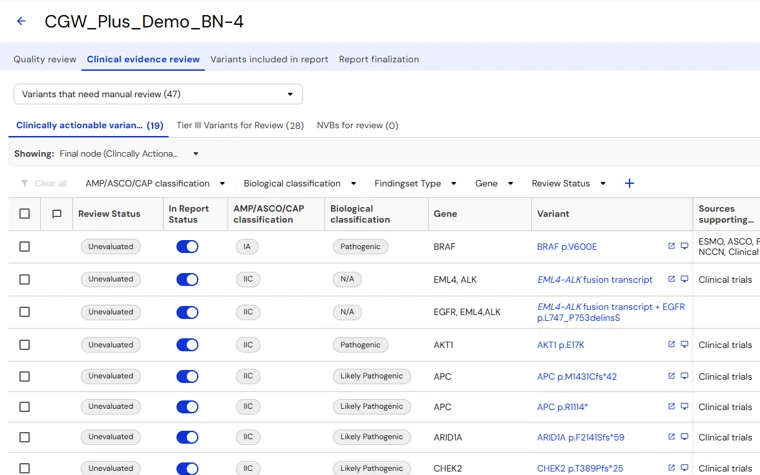
Step 02 · Classified
Each variant is matched to the PierianDx Knowledgebase. Somatic variants are tiered to CAP-AMP-ASCO guidelines. Germline variants are classified with ACMG rules.
Step 03 · Reviewed
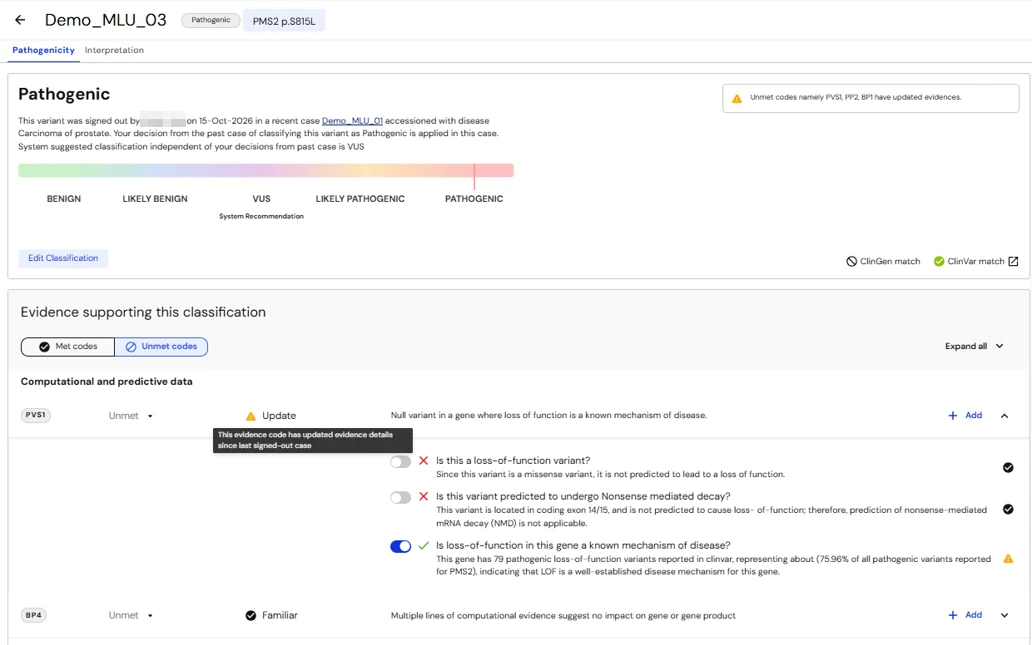
Clinical Evidence Review shows only the evidence that changed since your team last saw a biomarker. Explainable logic predicts the effect of rare and novel variants and shows its reasoning, so your analysts can check, and edit, every call.
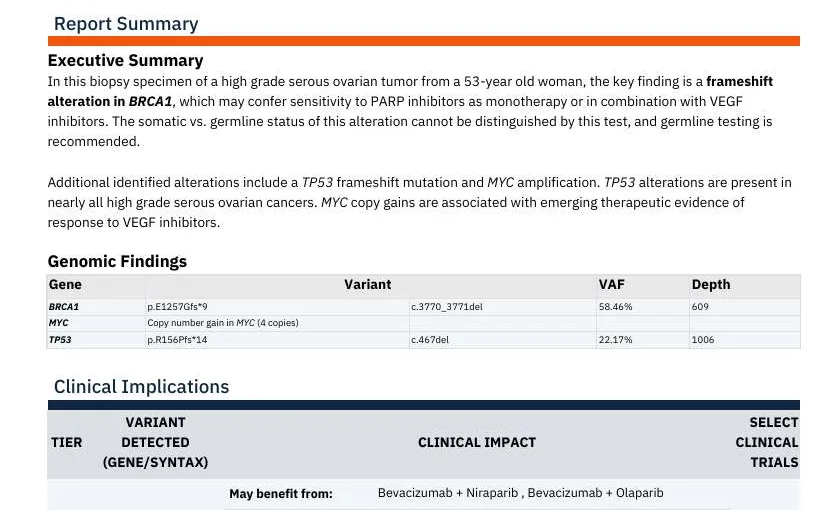
Step 04 · Draft report
CGW drafts the report for you. Significant variants link to matched therapies and clinical trials. The layout follows the format set during onboarding.
Before it moves onThe Clinical Evidence Table shows the evidence behind each finding.
Step 05 · Signed · LIS · EHR
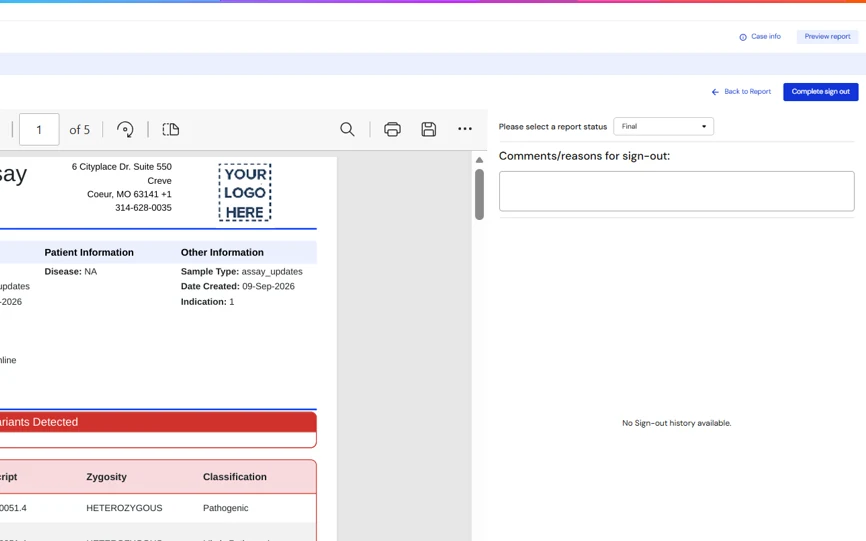
Your laboratory director reviews the report, with the evidence for every call in front of them, and signs out the case.
The signed report then goes to your LIS or EHR through HL7 or an API. Nobody retypes the result.
Before it moves onThe interface is built and tested with your IT team before go-live.
Interpretation
CGW classifies and prioritizes each variant against the PierianDx Knowledgebase . Your analysts see the evidence behind every call and can change it.
AMP/ASCO/CAP tiers (IA, IB, IIC and IID) for therapeutic, prognostic and diagnostic evidence, including co-occurring findings .
ACMG five-tier classification for germline cases, kept separate from somatic results and reported on their own report .

PierianDx Knowledgebase with ClinVar, COSMIC, dbNSFP and gnomAD . Your lab’s own classifications are reused as defaults in the same disease context .

Significant variants link to matched therapies and clinical trials, and non-NGS results can sit alongside them .
PierianDx Knowledgebase
Every CGW classification draws on the PierianDx Knowledgebase, our proprietary evidence library, built in house .
Curated by PhD- and MS-level scientists .
Every release is verified and validated before it reaches your lab .
New evidence arrives every month, so your interpretations stay current .
Built and maintained under ISO 13485 certified processes .
Reports
We configure your report during onboarding, from a standard set of options. You choose:
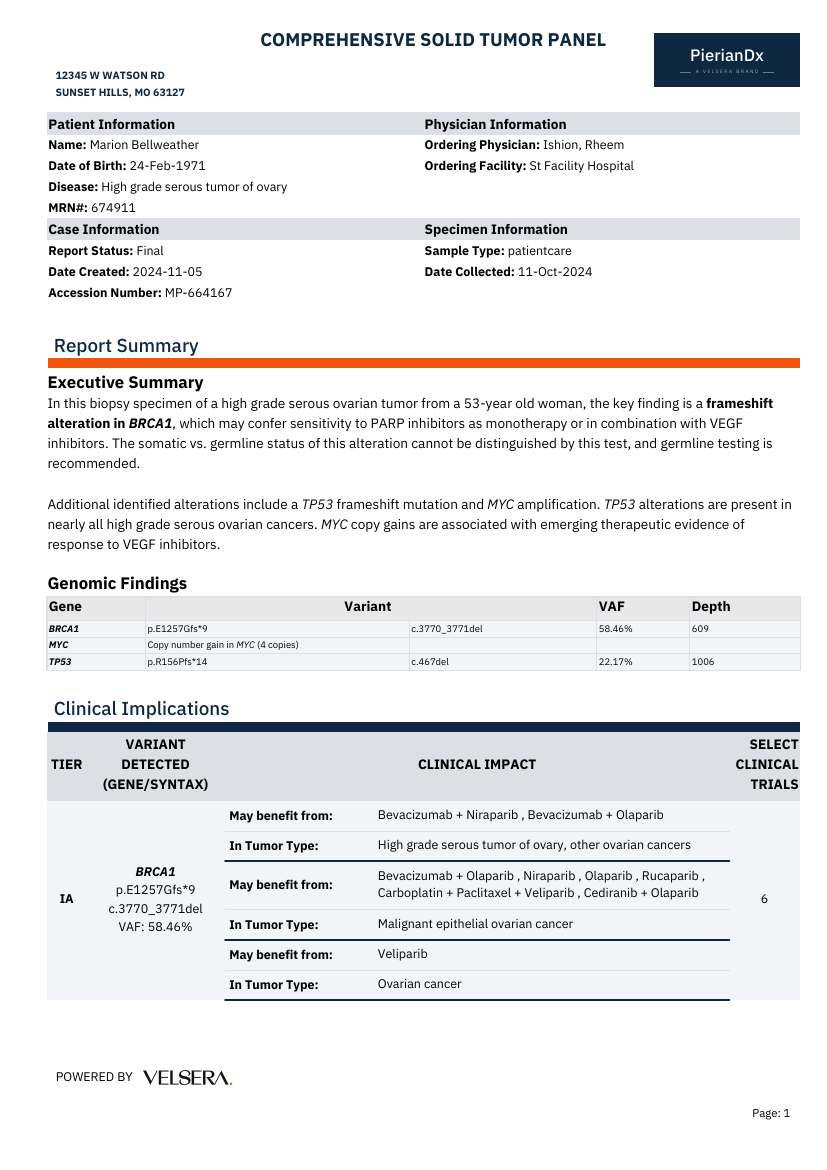
Your logo, colors and section order.
Therapies, clinical trials, pertinent negatives, variants of uncertain significance and non-NGS biomarkers.
Every report includes a Clinical Evidence Table with the most relevant evidence for each finding.
CGW connects to your LIS or EHR. Orders come in and signed reports go out, without retyping.
Order and result messages.
For systems that don’t use HL7.
With your own identity provider.
Exports of every result.
Assays
We are compatible with dozens of assays and pipelines and our team regularly onboards new ones . To see the full list and discuss onboarding your assay, contact us.
“The Clinical Genomics Workspace (CGW) by Velsera has provided our laboratory with a seamless, integrated software solution that allows us to spend more time analyzing the sequencing data and generating clinical reports and less time worrying about logistics.”
Clinical Services
Clinical Services brings scientific, operational, and reimbursement expertise alongside CGW to help laboratories launch, expand, and sustain testing programs.
Tell us your assay and roughly how many cases you run each month. We'll show you CGW on a matching workflow.
FAQ
CGW is software clinical labs use to interpret and report NGS tests. It classifies variants against the PierianDx Knowledgebase and drafts a report for sign-out.
Free databases are a useful starting point. The PierianDx Knowledgebase is proprietary, curated by PhD- and MS-level scientists, and updated monthly with every release verified and validated under ISO 13485 certified processes .
Yes. Labs running germline and somatic testing use one CGW solution, with a separate report for each. Germline variants are classified to ACMG guidelines, kept separate from somatic classifications. The Knowledgebase’s curated evidence is built around solid and hematologic tumors; if germline testing is central to your menu, we’ll walk you through how CGW handles it.
Your laboratory director stays in command of every sign-out . CGW, and our variant scientists if you choose Interpretation Services, get each case ready for that decision. Sign-out always stays with your lab.
We are compatible with dozens of assays and pipelines, and CGW is agnostic to sequencer, assay vendor and site . Contact us for the full list and to discuss your assay.
Yes, through HL7, an API or both. Our Integration Services team builds and tests the interface with your IT team.